
Manufacturing Scheduling Software That Actually Holds
Manufacturing scheduling software assigns every operation to a machine, a person and a time, using capacity that actually exists. Producing a plan is the first step. The test is whether the plan still matches the floor at 11 a.m.
Your plan doesn't match reality. That's why it keeps breaking.
Material shows up late. Machines overload. Operators aren't available. Skody AI builds a schedule that holds — based on real constraints, not assumptions.
Most schedule problems show up 2–3 weeks too late. This shows you today.
If you're already overbooked, Skody AI shows what slips — not a dashboard pretending you're fine.
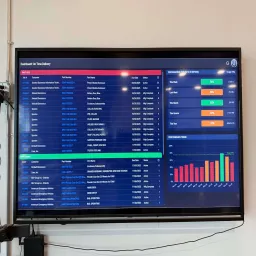
At Three Sigma Manufacturing in Kent, WA, Skody AI schedules 47 machine work centers. The planning horizon went from one week to a full year, and the planner accepts the computed baseline about 99% of days.
No setup. No data prep. Just answer a few questions.
Trusted by high-mix CNC shops like Yeager Manufacturing
See where your schedule will break
Most shops don't have a scheduling problem. They don't know where it's breaking.
No setup. No data prep. Just answer a few questions.
In 2 minutes, you'll see:
- where your schedule is already slipping
- what's actually causing delays (material, labor, bottlenecks)
- what changes if you add capacity or shift work
Used daily on real shop floors
"We wanted something we could confidently send to the shop floor — not just a guide. Skody AI gave us that."
"If we have absenteeism, we plug it in and validate a new plan in minutes."
Zach Yeager
Yeager Manufacturing
What Skody AI actually handles (and Excel doesn't)
If you're already overbooked, Skody AI shows what slips — not a green dashboard pretending you're fine.
Material is a constraint, not an afterthought
A job can't be sequenced before its material lands. Skody AI uses expected arrival dates and pushes the job out automatically when the PO slips.
Capacity from your actual shop
Real machines, real operators, real shift calendar, real load already on the floor. ERP scheduling capabilities vary; Skody models configured finite constraints.
What-if before you commit
Add a Saturday shift, a second operator on the lathe, or a new VMC. See exactly which due dates move and by how much.
Overbooked? You see what slips
Skody AI won't hide overload behind a green KPI. It lists the late jobs, by how many days, and the constraint causing each one.
The bottleneck, in plain sight
See the constrained work center, the queue stacked behind it, and which due dates that queue is about to take down.
Operators count as capacity
A machine with no qualified operator on second shift isn't available. Skody AI schedules people and machines together — like the floor actually runs.
For CNC-specific constraints, see operator skills scheduling, CNC pallet scheduling and the CNC scheduling software buyer guide. Advanced workforce, pallet and lights-out scope is custom-priced on Plant & Enterprise.
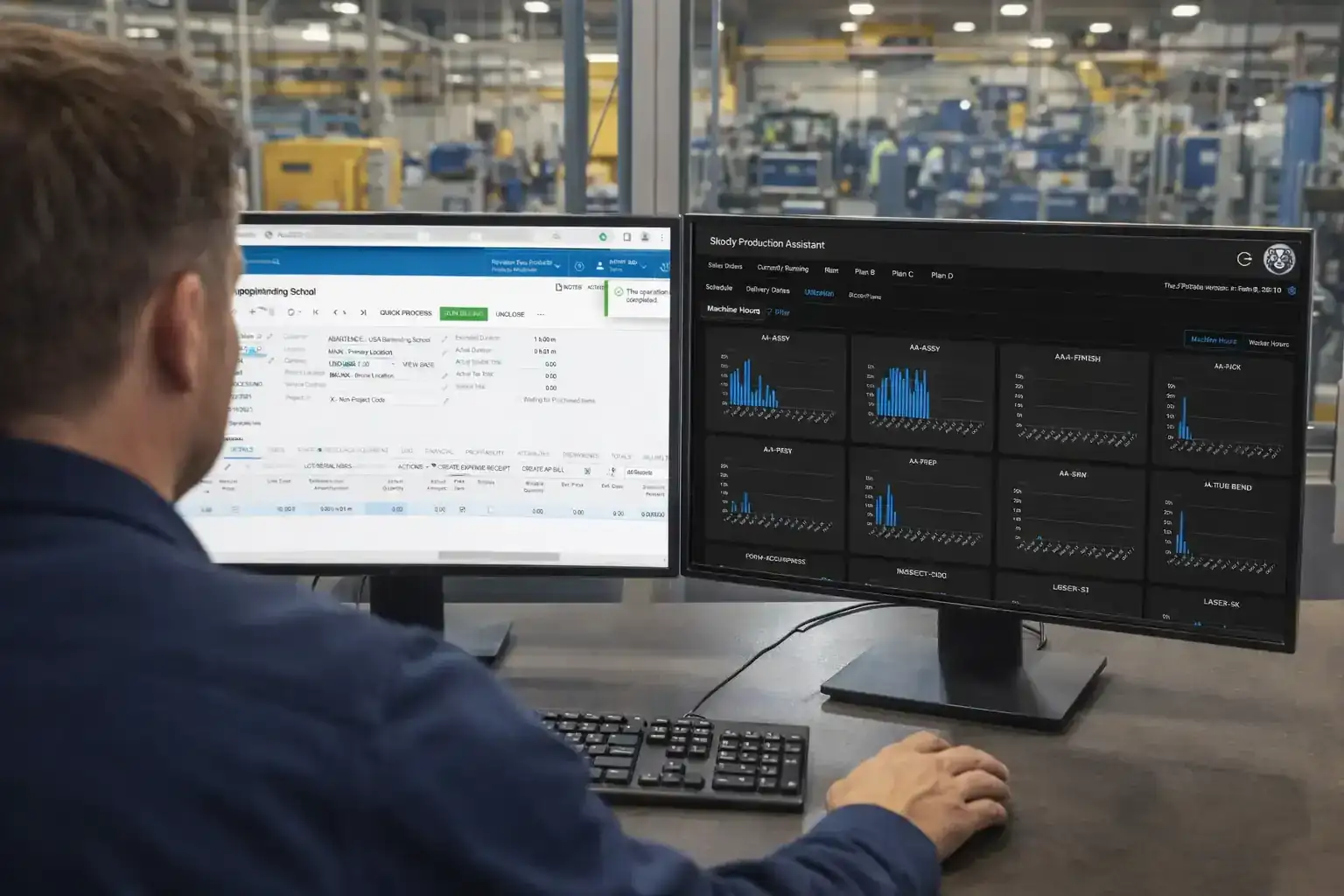
Where the schedule actually breaks
Most late jobs aren't a machine problem. They're a material that didn't show up, an operator who isn't certified, or a queue behind a single bottleneck nobody saw building.
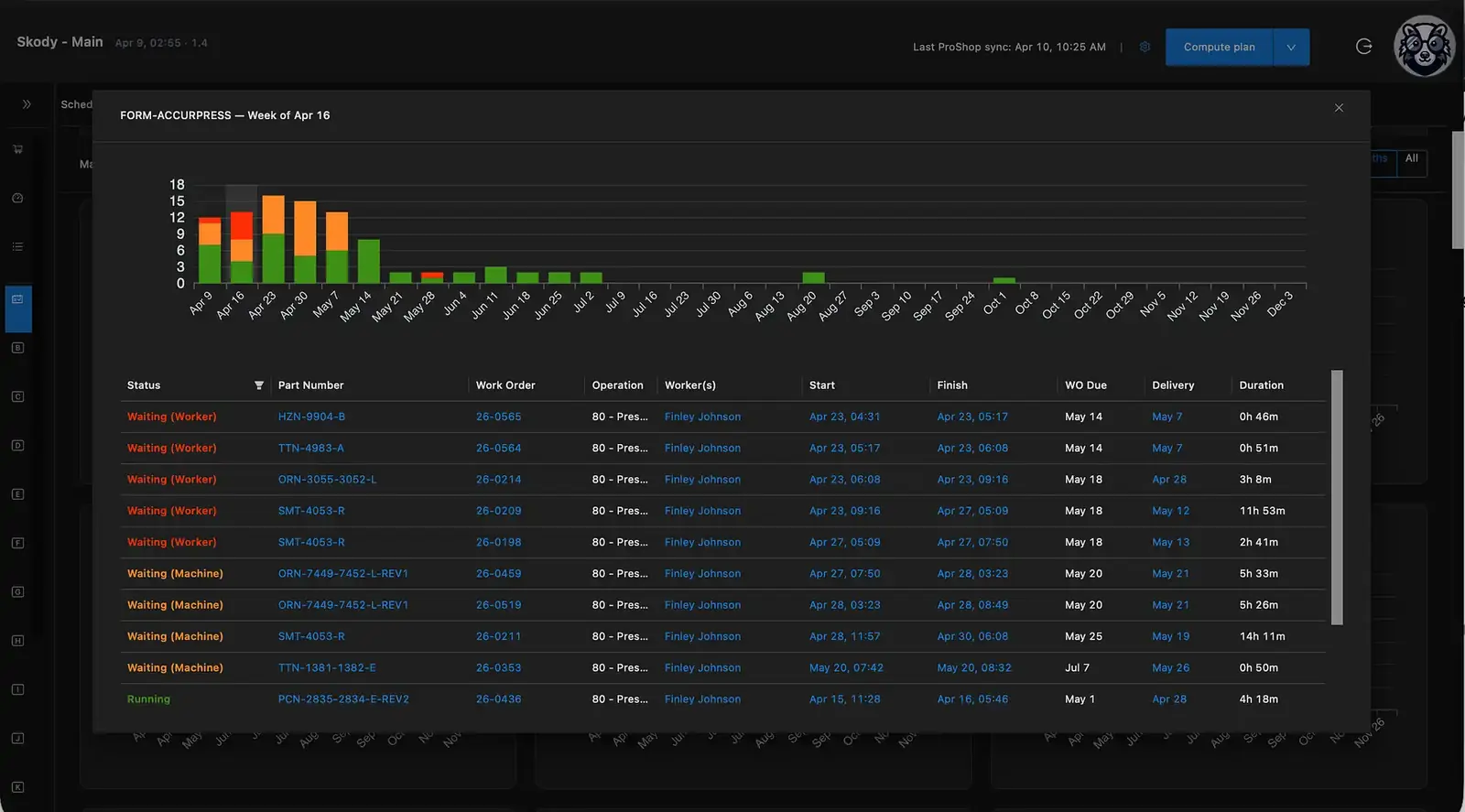
Bottleneck analysis
See the constrained work center, the queued work behind it, and the due-date impact before late work spreads.
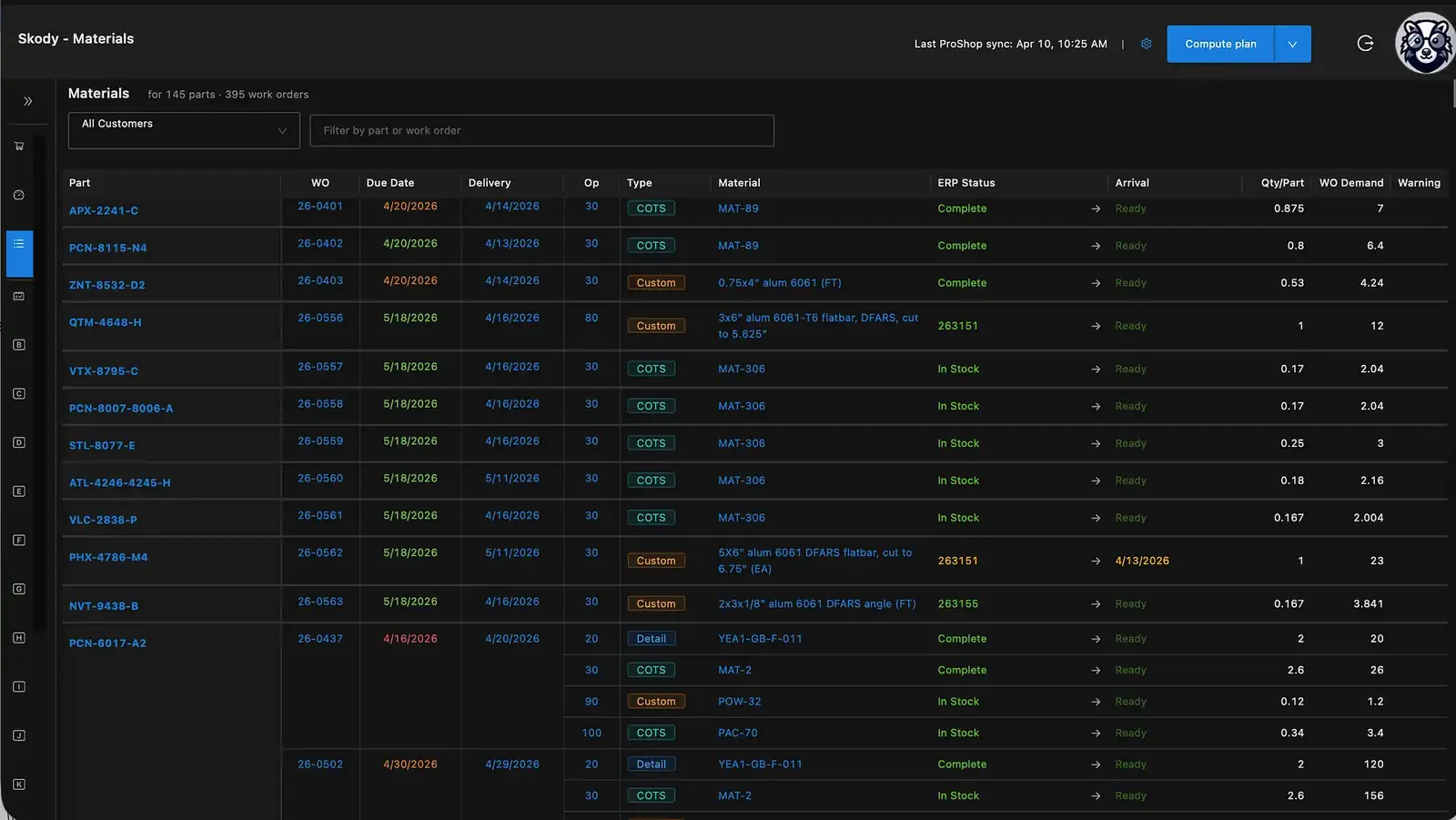
Material readiness
Know whether work is actually ready to run. Surface arrivals, shortages, and blockers before they become floor-level surprises.
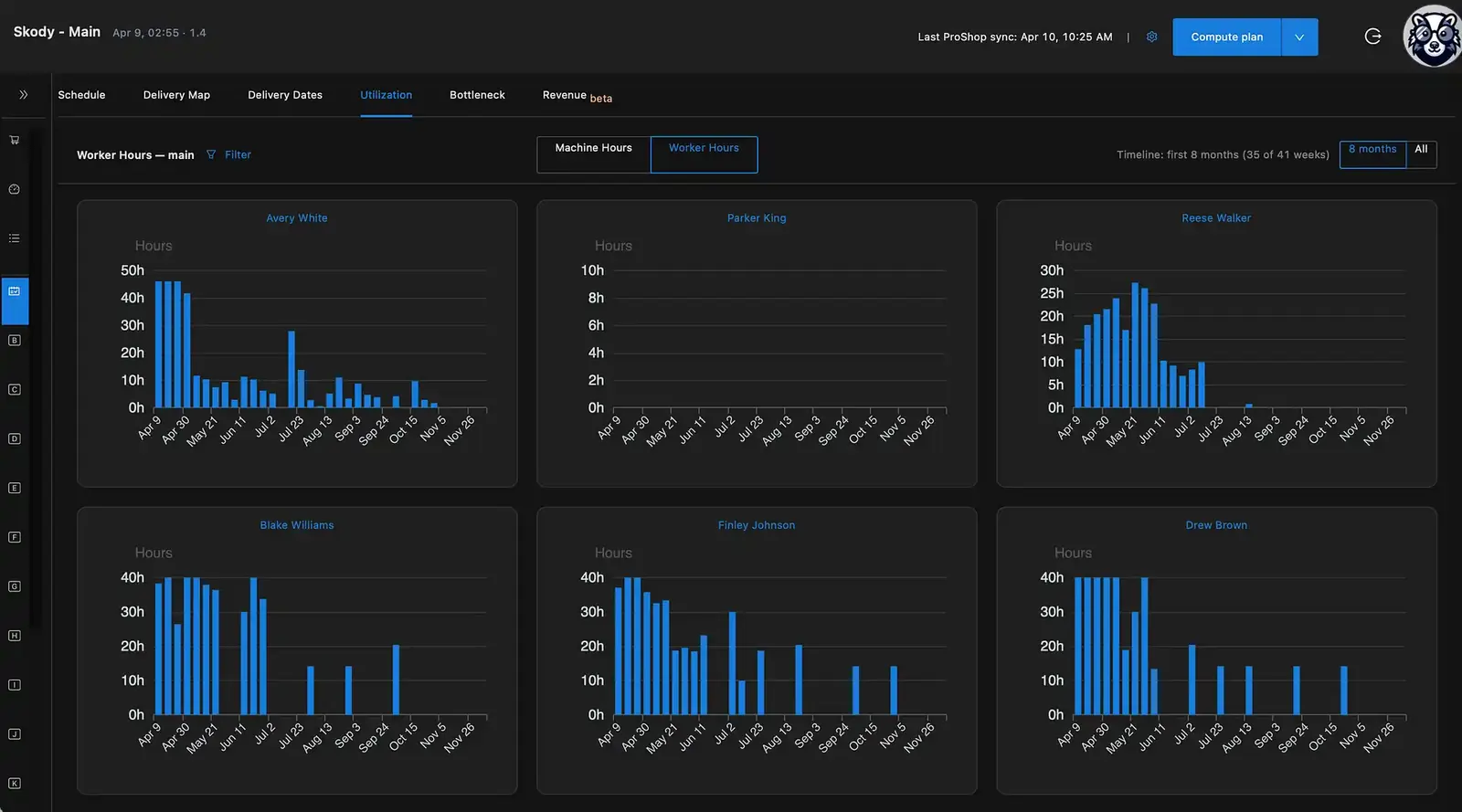
Labor + capacity visibility
See who is overloaded, where labor is available, and how upcoming work is distributed across the team.
What Is Manufacturing Scheduling Software?
Manufacturing scheduling software determines:
Its goal is to:
Some scheduling workflows rely on manual sequencing.
Modern systems — like AI production scheduling software — recompute the plan when conditions change — Skody recomputes the whole shop (runtime depends on data volume, constraint complexity and deployment).
What to Ask Any Manufacturing Scheduling Software
ERP and APS scheduling capabilities vary by product, edition and configuration. Ask which resources the system constrains, what triggers a recalculation, how quickly the plan updates and whether the planner must resolve conflicts manually.
📊
ERP scheduling
Which resources does the module constrain — machines only, or also people, material and outside processing? Is sequencing automatic or manual?
📋
Excel = Guessing
Static rows that break the moment a rush job arrives. No constraint logic. No reflow.
🔒
APS products
What triggers a replan, how long does it take, and how much configuration does the deployment need before the plan is usable?
Test any option with your own jobs and constraints.
Real scheduling means deciding what can run next — and deciding again when reality changes — based on labor, materials, bottlenecks, and shifting priorities.
That's how Skody AI is built to work.
How Much Bad Scheduling Actually Costs
The financial impact depends on machine rates, idle time, setup hours, overtime, expedite costs and lost throughput. Use the capacity ROI calculator to model the assumptions for your shop. Reactive scheduling typically shows up in these places:
Late shipments
Expedite freight, contract penalties, lost repeat orders
Idle machine time
Poor sequencing leaves spindles waiting while planners rebuild
Overtime & expedites
Weekend shifts and rush charges to recover from broken schedules
Planner time
Hours spent rebuilding schedules that break by noon
The problem isn't the planner. It's the tools. And the cost compounds every single day.
The hidden cost is not just lateness. It's bad commitments, overloaded teams, material churn, and constant replanning.
What Production Scheduling Software Should Actually Do
Good manufacturing scheduling software doesn't just digitize your whiteboard. It should:
Build the schedule for you — accounting for machine availability, operator certifications, material readiness, setup-to-setup time, and routing dependencies
Reflow the plan when a rush job lands, a machine goes down, or material gets pushed — not require the planner to start over
Let the planner override anything, anywhere, without breaking the rest of the schedule
Flag at-risk jobs days before the ship date — not after the customer calls
Schedule the operator and the machine together — because a $400K VMC with no qualified operator is just a paperweight
Skody AI is built to do all five. Ask any vendor to show each one on your own jobs.
How It Works (30 seconds)

Import jobs from your ERP or structured files
Click optimize
See full schedule
Adjust → auto-reflow
How the engine actually works
Built for discrete manufacturers — CNC scheduling software, job shops, fabrication, and high-mix work where every week looks different.
It does the first draft
Pull jobs, machines, operators, and setup matrices from your ERP, structured files or dependable daily updates. Skody AI produces a sequenced schedule in minutes — not a planner spending the morning rebuilding a spreadsheet. The deployment target is typically 3–4 weeks for supported, ready-to-integrate environments; complex implementations may differ.
The planner stays in charge
Drag a job. Pin a setup. Override a constraint. The planner makes the call — Skody AI handles the cascade. If you want to build a section by hand, do it. Nothing is locked.
Reflow when reality moves
Rush job at 10am. Spindle down at 2pm. Material slips a week. Skody AI reflows the schedule, flags the jobs now at risk, and shows the downstream impact before it lands on the OTD report.
The views your supervisors actually open
Bottleneck queue, material readiness, operator load, OTD risk, machine utilization. One place — so the morning huddle stops being a treasure hunt across spreadsheets and the ERP.
What Skody AI Schedules Together
Skody AI schedules what affects your throughput together — machines plus, where configured, materials, labor, and outside processing.
Machine + Worker Scheduling
Co-schedules operators alongside machines. Certifications, shift patterns, and labor availability are all constraints the engine respects.
Material-Aware Execution
Skody AI doesn't just schedule jobs. It shows whether the work is actually ready to run based on material and external dependencies.
Pallet & Multi-Part Scheduling
Schedules pallet loads as grouped operations — optimizing changeovers and maximizing spindle time across tombstones and pallet pools.
Explore pallet schedulingLights-Out Planning
Identifies which jobs can run unattended overnight and schedules them into lights-out windows automatically.
Machine scheduling is table stakes. Skody AI schedules your entire production system.
Why Shops Replace ERP Scheduling with Skody AI
Your ERP owns orders, inventory and costs. Some ERPs also provide finite and advanced scheduling. Evaluate Skody when a dedicated recomputation engine better fits your production constraints.
The ERP schedule breaks daily
When the native scheduling workflow does not capture your configured constraints or needs substantial manual repair, a dedicated optimization layer may help.
The planner becomes the bottleneck
When one person holds the entire schedule in their head, every vacation, sick day, or resignation is a production crisis. No visibility into what slips next. No labor-aware capacity logic.
No visibility into risk
Skody exposes predicted delivery risk from the recomputed plan. Compare that visibility with your ERP’s own material and scheduling tools before adding another system.
Skody is a dedicated production scheduling decision engine alongside your ERP.
Your ERP stays the system of record. Skody AI becomes the system of action.
Manufacturing Scheduling Software for High-Mix Discrete Manufacturers
Skody AI is built for operations where routing, labor, materials, setups, and changing priorities shape delivery — including:
High-mix, low-volume operations — where every job is different, setups matter, and no two weeks look the same
CNC machining shops — with complex tooling, fixturing, and setup dependencies
Fabrication teams — where routing, outside processing, and material timing drive delivery
Tubing / forming environments — with changeover-heavy workflows and material dependencies
Job shops and contract manufacturers — producing custom parts, assemblies, or components to order
Discrete manufacturers with 20–50+ machines — where unpredictability is the biggest scheduling challenge
When Skody may not be the right fit
Shop size never rules a manufacturer out, and an ERP is not required. Skody may not fit when:
The main goal is replacing an ERP (accounting, inventory, purchasing, MRP or costing).
Orders, routings, resources and actual progress cannot be made available — daily Excel or paper-traveler updates and operation-level clock-in/clock-out are acceptable.
There is no usable production baseline yet. This is not an automatic disqualifier: Skody starts with available data and improves.
The process is highly specialized and needs capabilities or integrations validated before deployment.
More detail in the production scheduling software buyer guide.
Scheduling for Metal Manufacturers: Which Problem Do You Have?
Metal manufacturers share machines, people and routings, but what decides the schedule differs by operation. Find the closest match; each linked page covers the detail.
| Operation | What decides the schedule | Read next |
|---|---|---|
| CNC and precision machining | Machine eligibility, setups, tooling and, where configured, pallets and unattended windows. | CNC scheduling software |
| Mixed manual and CNC operations | Manual machines need a machinist for every run hour, so qualified people are often the constraint. | Machine shop scheduling software |
| Sheet-metal fabrication | Multi-step routings across cutting, forming, welding and finishing, with material timing and outside processing. | Fabrication scheduling software |
| Contract manufacturing | Customer-driven priority changes competing for the same shared work centers. | Contract manufacturing scheduling |
| High-mix job shops | Unique routings, frequent priority changes and due-date risk on every order. | Job shop scheduling software |
| Shared machines, people, skills and routings | Each operation is placed only where its machine and, where configured, a qualified person are available. | Finite capacity scheduling |
| Outside processing and material readiness | Work is not sequenced before its material is expected, and outside-process time is part of the routing. | Outside processing |
Shops on an ERP, and shops on Excel, paper travelers or daily updates
Reliable production inputs are required, not an ERP. Skody works from any of these, and the schedule is only as current as the inputs it receives:
- Supported ERP integrationLive with ProShop, Fulcrum and JobBOSS²; Acumatica and SYSPRO integrations also exist. Other ERPs depend on data access and scope.
- Structured file or Excel exchangeOrders, routings, resources and progress are provided in structured files. The schedule updates when files arrive; this is not a live integration.
- Paper-based workflow with dependable daily updatesShops on paper travelers provide end-of-day production information and receive an updated schedule once per day.
- Operation-level clock-in/clock-outWhere configured, operators record start and finish at the operation level so progress reaches the schedule.
Advanced workforce, skills, pallet and unattended-production constraints are configured and scoped on Plant & Enterprise. If your process is highly specialized, validate the required capabilities in a demo before deployment.
Used by shops that needed earlier signal — not a prettier static schedule
15%
Fewer Production Delays
Reported by Three Sigma Manufacturing after deploying Skody AI
Customer-specific result. Outcomes vary by production environment, data quality, implementation scope and operating changes.
Results From Real Manufacturers
Three Sigma Manufacturing
Kent, WA
days → seconds
Scheduling time
1 week → 1 year
Planning horizon
15% reduction
In production delays
Yeager Manufacturing Technologies
Winter Park, FL
Machines + people
Scheduled together, with what-if scenarios before acting
Live
Employee clock-in/clock-out
Instant
Next job dashboard visibility
"Skody AI completely changed how we schedule. We extended our planning horizon from one week to a full year — without locking ourselves in."
"Our experience with Skody has been liberating."
Manufacturing Scheduling Software vs. ERP Scheduling
ERP tells you what happened.
Skody AI decides what happens next.
Your ERP may already have useful finite scheduling. Compare its modeled constraints, replanning workflow and planner effort with a dedicated engine:
| Capability | ERP Scheduling | Skody AI |
|---|---|---|
| Setup time optimization | Varies by ERP | Yes |
| Reflow on demand or on ERP events | Varies by ERP | Yes |
| Operator & shift awareness | Varies by ERP | Yes |
| Material-aware scheduling | Varies by ERP | Yes |
| Bottleneck visibility | Varies by ERP | Yes |
| At-risk job visibility | Varies by ERP | Yes |
| Worker + machine co-scheduling | Varies by ERP | Yes |
| Drag-and-drop manual override | Varies by ERP | Yes |
| AI-powered optimization | Varies by ERP | Yes |
| Rush job handling | Verify native workflow | Auto-reflow |
| Executive OEE dashboards | Varies by ERP | Yes |
| Pallet & lights-out planning | Varies by ERP | Yes |
| Implementation time | Varies by implementation | 3–4-week target for ready, supported environments; complex implementations vary |
Frequently Asked Questions
Questions about labor-aware scheduling, materials, bottlenecks, or planner control? Start here.
- ITAR-Ready
- Gov Cloud
- SOC 2
- Type II
See your schedule, with your real jobs, in 30 minutes
Send us a sample of your jobs, machines, and operators before the call. We come in with your shop on the screen — not a generic deck — and walk through what slips, why, and what changes.
See Your Schedule in 30 MinNo credit card · 30-minute working session · Your data, your constraints